Why Markdown-Powered Timelines on TimeGlide Are a Game-Changer for Your Projects
Unlock the Power of Time
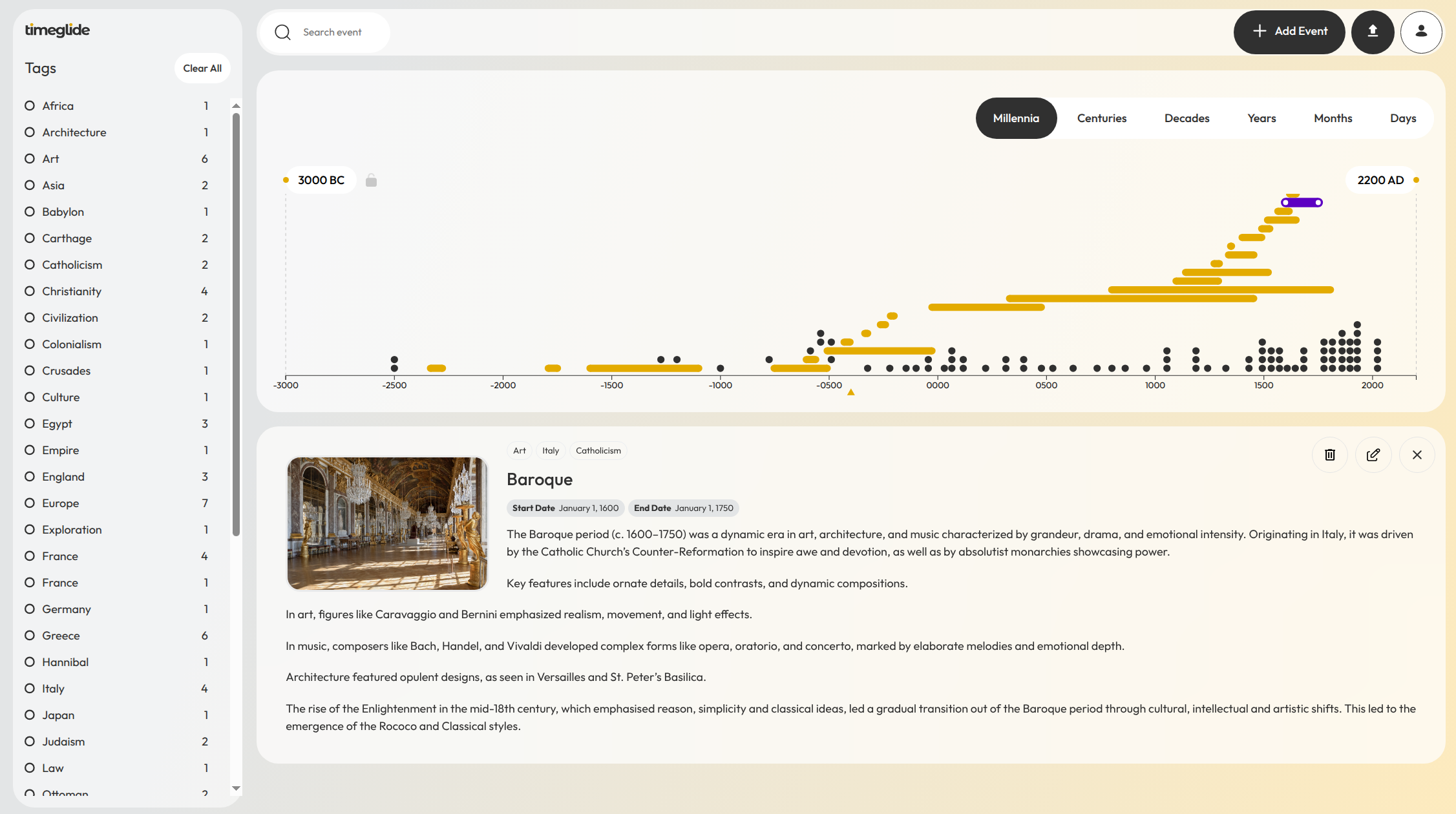
In a world overflowing with data and future possibilities, being able to effectively visualise time is essential. Whether you’re a history buff piecing together the waxing and waning of great civilizations, a project manager frustrated by Gantt charts that fall short, or a creative storyteller weaving complex narratives, we’ve found traditional tools often fall short. In case you’re not already familiar, TimeGlide allows you to create interactive timelines over a 5000 year period (3000BC to 2100AD), with the ability to zoom down to view events at up to the seconds level.
Today’s post however discusses another innovative aspect of the tool. Namely, how TimeGlide harnesses the simplicity and versatility of Markdown files to generate its timelines. Whilst many timeline tools use their own proprietary data to store events on their timelines, TimeGlide uses humble text files in the form of Markdown (.md). This offers numerous benefits. In the rest of this post, we’re going to dive into more of the benefits of using Markdown to power timelines on TimeGlide. If you’re searching for “best Markdown timeline tools” or “interactive timeline builders,” we think that TimeGlide could revolutionize how you visualise chronological data
Why Markdown?
Markdown is essentially a plain text file, but you can use special ‘syntax’ (symbols on your keyboard arranged in a certain way) in the plain text file so that when you open up that file in particular apps and programs, it will display in a defined way. For instance, using an * around a word will italicise it. As we mentioned, many timeline builders use their own proprietary data structure and formats to display your data. But this means that if you ever no longer want to use that tool, or wish to migrate to a new one, all that time and effort that you’ve put in may be lost or have been wasted. We deliberately chose to use Markdown text files to power our app so that your content is always yours, and any time and effort you put into your notes will never be lost, as you can at any moment download all your content as text (.md) files, which can be opened in many apps or editors. We plan to also implement scheduled backups of your content whereby they’re sent to your user email on a regular basis.
This approach aligns perfectly with the File Over App mindset championed by developer Stephane Ango. In the linked article he makes a sound argument for prioritizing files over apps to ensure long-term data ownership, portability, and resilience. As he writes, apps come and go, but plain-text files endure. TimeGlide embodies this principle by making Markdown (a text file) the foundation of your timelines, ensuring your data outlives any platform, even ours.
But I don’t want to have to worry or learn about special syntax to create my timelines, I just want to write!
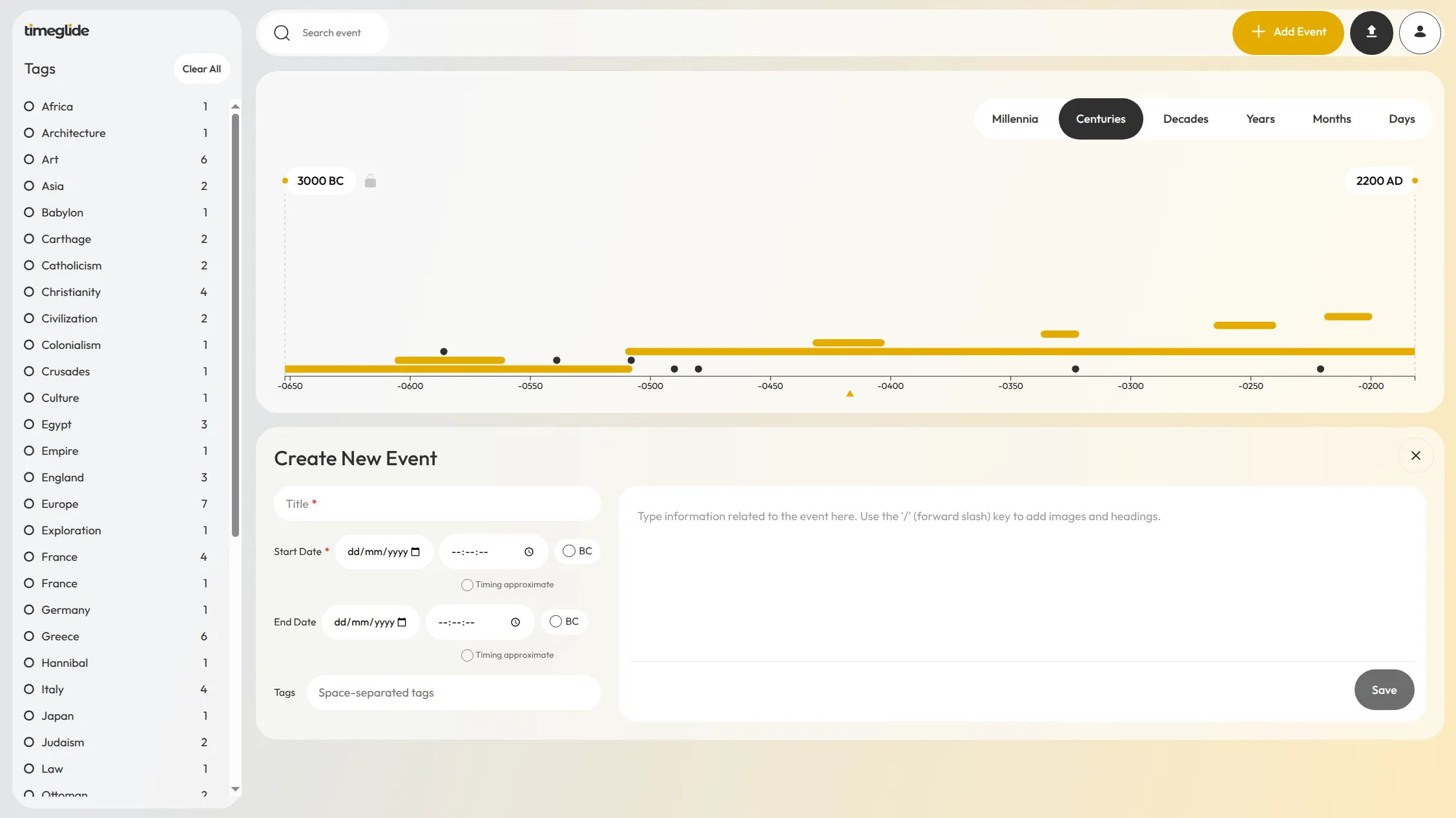
Don’t worry, there’s no need for you to use any special syntax at all. TimeGlide has a simple interface. To add dates and tags you can just fill in the pre-prepared fields. Adding images is a breeze, and so is embedding videos. So most users use the app and create timelines without ever having to think about that a Markdown file is storing the information. That being said, for those people that are familiar with Markdown, they can edit their note files directly locally, and then upload them when they’re ready.
Benefit 1: True Data Ownership and Portability—No Vendor Lock-In
One of the biggest headaches with many timeline tools? Getting trapped in a walled garden where exporting data ends up in a mess of unusable files, or maybe it’s not even possible to export your data at all. TimeGlide flips the script by storing all text content as downloadable Markdown files. We also encourage you to regularly backup and export your files, and we plan to implement automated backup of your files to your user email shortly.
“Apps come and go, but plain-text files endure..” - Stephane Ango
Benefit 2: Adapt your existing notes and build timelines from existing effort, energy and content that you’ve already invested!
The syntax we use for rendering notes is simple and easily implementable. If you already have an extensive note collection that you think it would be cool to visualise on a timeline, you can simply add the relevant syntax to your notes, upload them easily into TimeGlide and see them instantly rendered.
Benefit 3: Flexibility to ‘improve’ on the notes in the future - text files are easily manipulable (in ‘computer-speak’)
Whilst events are currently stored in plain-text, we do not perform data mining on your notes or have any hidden analytics; your events are yours. We have on our Roadmap to implement encryption in the future, which is something else made straightforward by us using text files as the underlying basis of TimeGlide.
Benefit 4: Everyone has the tools and ability to edit text (Markdown) files
For researchers or educators, this means collaboration can occur easily without the need for multiple accounts or multiple people to learn a software. Share an .md file via email or Dropbox, and your team can make edits and then upload the resulting file. It’s a dream for long-term projects, ensuring your work outlives any single platform.
TimeGlide’s Markdown backbone democratizes the data behind timeline creation, making it accessible yet powerful for all.
What does the syntax look like?
Here is an example note:
-timeline-
start: -0480-07-21
end: -0480-07-23
tags: war greece
-/timeline-

The note text would then be added here. Simple, easily readable text and syntax. Full details of how syntax can be used is available to members.
To Sum Up
| Benefit | How It Helps |
|---|---|
| Data Ownership | Export .md files anytime — no lock-in |
| Reuse Notes | Turn existing Markdown into timelines |
| Future-Proof | Edit with any app; encryption coming |
| Collaboration | Share and edit .md text files easily |
Ready to Glide Through Time? Get Started with TimeGlide Today
The benefits of using Markdown to power timelines on TimeGlide boil down to one thing: empowerment through ownership. You get flexibility, control, and a tool that lets you visualise time in a unique way—without the bloat. Whether you’re mapping the past, planning the future, or weaving stories across eras, this platform turns chaos into clarity—and your data stays yours.
Don’t just take our word for it—sign up for TimeGlide’s limited pre-launch offer and snag free access for 2 years (for the first 20 users - we just require intermittent feedback). Head to timeglide.io to claim your spot.